User’s Manual
Product function and configuration guidelines.
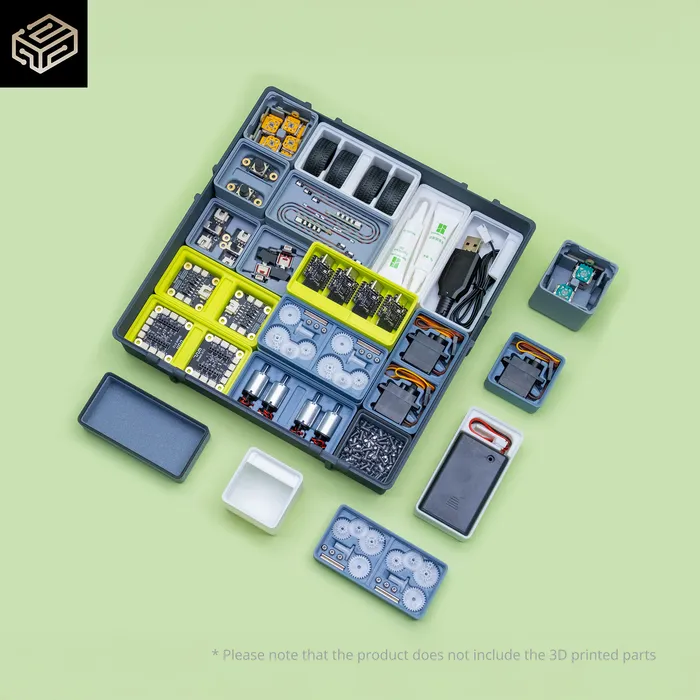
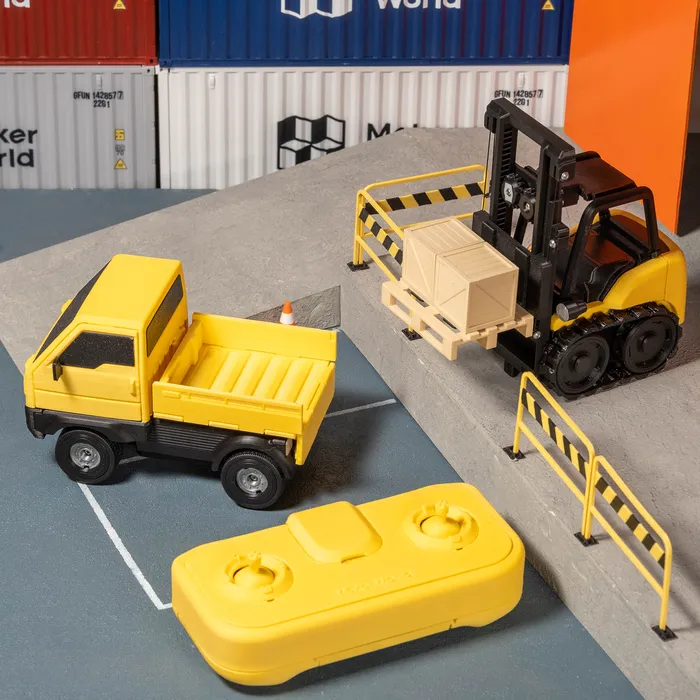
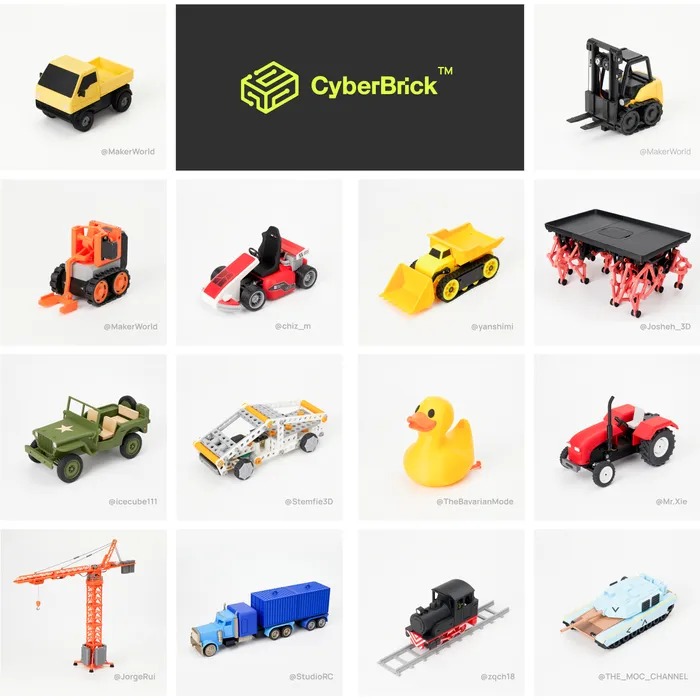
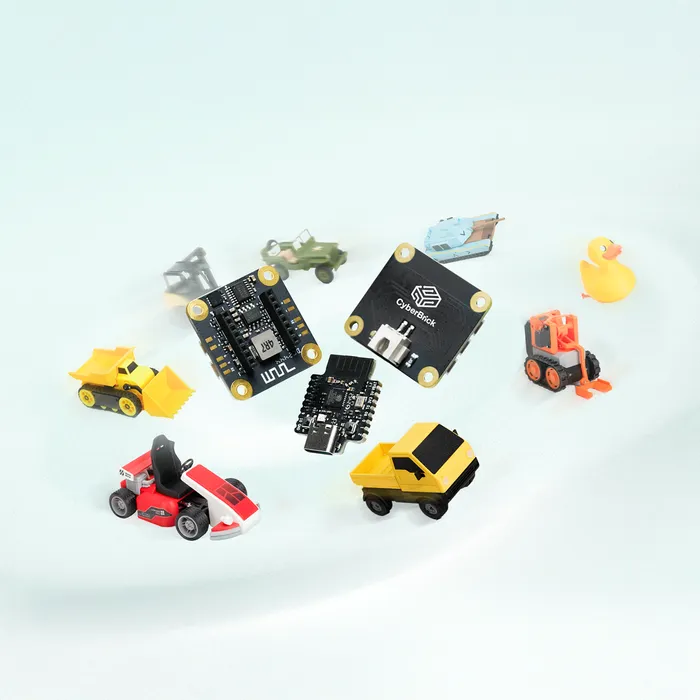
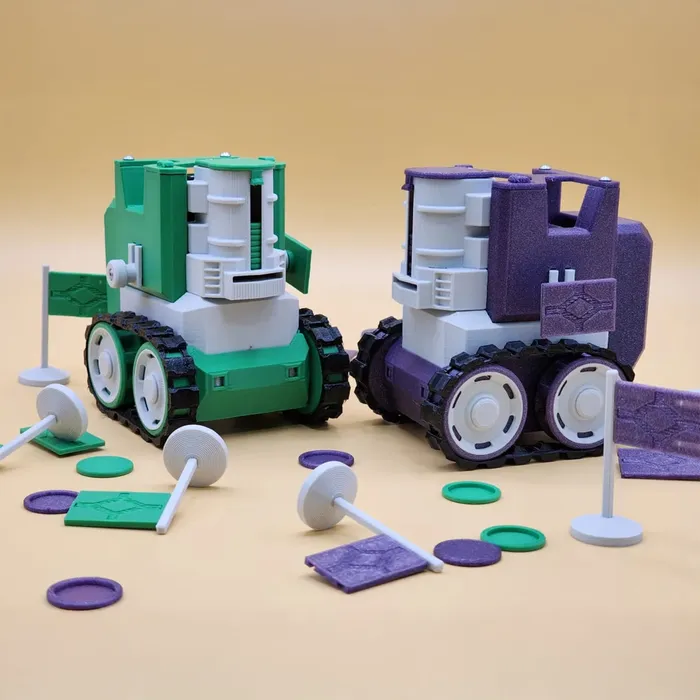
CyberBrick offers a series of smart modules that empower anyone to build and enjoy a wide range of 3D-printed projects. From R/C toys to functional productivity tools. Powered by the MakerWorld team, CyberBrick is designed to be user-friendly and supported by an abundant content library, ensuring endless opportunities for creativity and innovation.


The below models may require additional accessories. Please refer to the "Bill of Materials" for details.


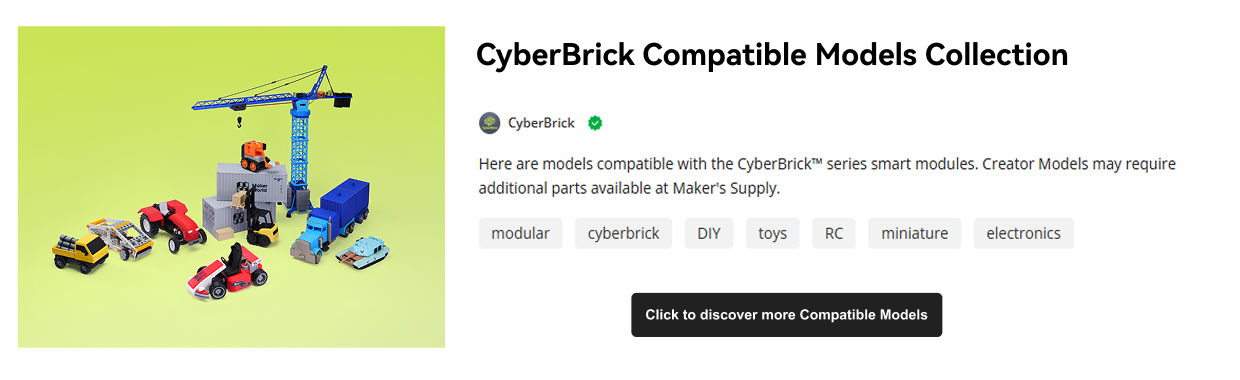
Please refer to the "Description" section on each model page for Remote details. Click here to get the Official Standard Remote.
Just follow the step-by-step guide, no expertise needed! Snap, click, and feel your ride materialize right in your hands. Stuck? The MakerWorld community' s got your back.

Skip the setup hassle! Browse, download, sync, and start playing-right away. Need help? Jump into the community!

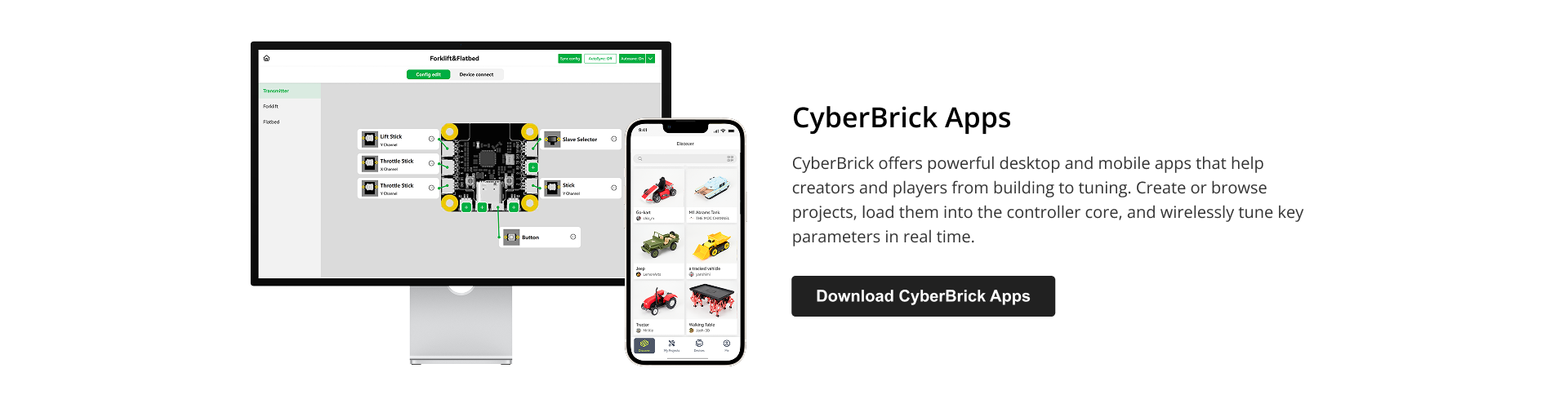
Unleash your imagination with powerful configuration tools on PC and mobile, then share your creations and custom tunes with the MakerWorld community!

| Communication Method | 2.4G WiFi / Bluetooth |
| Support Control Mode | One-to-One / One-to-Many |
| Developable Forms | Car / Boat / Robot-like |
| Remote Control Distance | Up to 100 meters |
| Configuration Method | Mobile / PC |
| Compatible Development Tool | MircoPython |
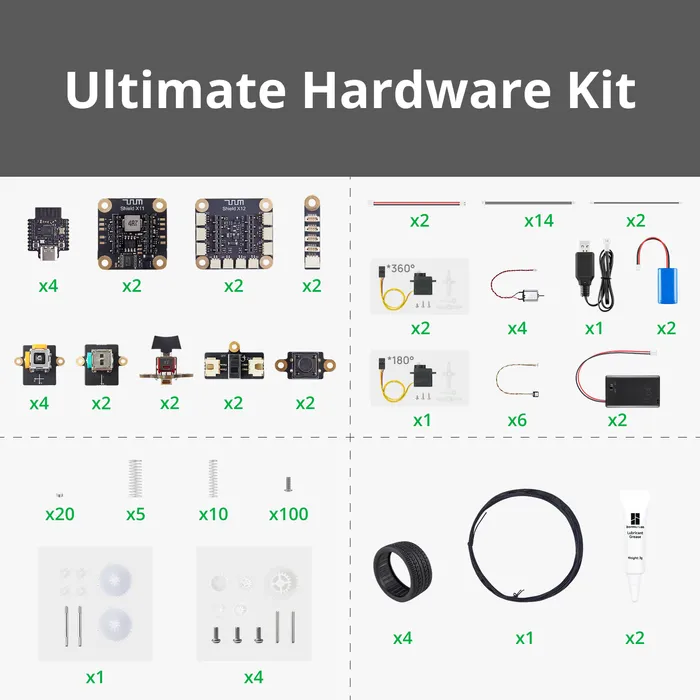
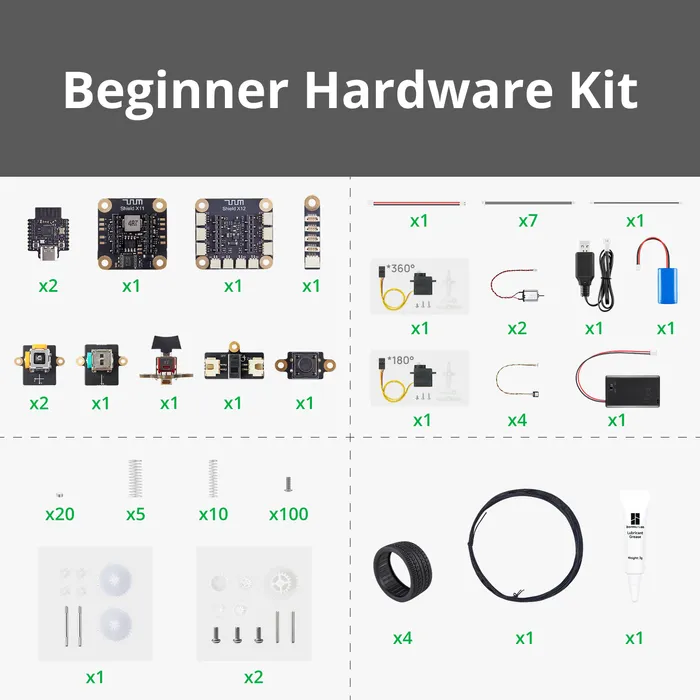
| Hardware Kits Comparison | Ultimate Hardware Kit | Beginner Hardware Kit |
| Full electronic modules | ✅ Build 2 remote & 2 vehicles | ✅ Build 1 remote & 1 vehicle |
| Dual Vehicle Control Unlocked | ✅Ready to use after configuration | ❌ Need 2 kits to unlock |
*Dual Vehicle Control: One remote commands both truck and forklift simultaneously
| Item Number | Item Name | Qty of Ultimate Hardware Kit | Qty of Beginner Hardware Kit |
| 1 | Multi-Function Core Board | 4 pcs | 2 pcs |
| 2 | Remote Control Receiver Shield | 2 pcs | 1 pcs |
| 3 | Remote Control Transmitter Shield | 2 pcs | 1 pcs |
| 4 | WS2812 LED Hub with 3Pin SH1.0 Connector | 2 pcs | 1 pcs |
| 5 | Power Switch Module with 2Pin XH2.54 Connector | 2 pcs | 1 pcs |
| 6 | Momentary Button Module with 2Pin SH1.0 Connector | 2 pcs | 1 pcs |
| 7 | Single-Axis Joystick Module with 3Pin SH1.0 Connector | 2 pcs | 1 pcs |
| 8 | Three-Position Rocker Switch Module with 3Pin SH1.0 Connector | 2 pcs | 1 pcs |
| 9 | Dual-Axis Joystick Module with 3Pin SH1.0 Connectors | 4 pcs | 2 pcs |
| 10 | 3x1.5V AAA Battery Case with XH2.54 Connector | 2 pcs | 1 pcs |
| 11 | 14500 7.4V 800mAh Li-ion Battery | 2 pcs | 1 pcs |
| 12 | 7.4V Lithium Battery Charger with XH2.54 Connector | 1 pcs | 1 pcs |
| 13 | 100mm Wire with 2Pin XH2.54 Connectors | 2 pcs | 1 pcs |
| 14 | 100mm Wire with 3Pin SH1.0 Connectors | 14 pcs | 7 pcs |
| 15 | 100mm Wire with 2Pin SH1.0 Connectors | 2 pcs | 1 pcs |
| 16 | WS2812 RGB LED with IDC0.8 4PIN | 6 pcs | 4 pcs |
| 17 | Plastic Differential Gear Kit | 1 pcs | 1 pcs |
| 18 | Ø33.7×13.85mm Rubber Tire | 4 pcs | 4 pcs |
| 19 | 030 Micro DC Motor with SH1.0 | 4 pcs | 2 pcs |
| 20 | 1:48 Single-axis Plastic Reduction Gear Kit | 4 pcs | 2 pcs |
| 21 | 180° 9g Servo Motor with Clutch Protection | 1 pcs | 1 pcs |
| 22 | 4x2mm Round Magnet | 20 pcs | 20 pcs |
| 23 | 0.5x5x20 mm Helical Compression Spring | 10 pcs | 10 pcs |
| 24 | 0.6x8x20 mm Helical Compression Spring | 5 pcs | 5 pcs |
| 25 | 0.6mm Black Nylon Cord 5m | 1 pcs | 1 pcs |
| 26 | 360° 9g Servo Motor with Clutch Protection | 2 pcs | 1 pcs |
| 27 | M2.5x6 BHCS Machine Screw | 100 pcs | 100 pcs |
| 28 | Lubricant Grease | 2 pcs | 1 pcs |


1. What kind of functions are supported?
The Core Controller in this release is powered by the ESP32-C3 microcontroller, running a custom MicroPython library with unique functions. Any functionality supported by the ESP32-C3’s performance and interfaces can theoretically be implemented. For the initial models, we recommend using them for remote-controlled toy models. Key features like multi-channel proportional control, channel binding, mixing, and simple event control can be easily configured through the app’s graphical interface. Users can also directly use pre-configured files from creators without needing to modify settings. For advanced users, more complex requirements can be achieved using MicroPython, and we will provide relevant documentation.
2. What Dev Tools are compatible with CyberBrick?
You can use any IDE that supports MicroPython and serial communication. For lightweight IDEs, we recommend Thonny. For a more feature-rich experience, Visual Studio Code (VS Code) is a great choice.
3. What technical support is available for using the hardware sold in CyberBrick?
We will provide hardware module specifications (e.g., voltage, current, ADC channels), CAD files for mechanical design, and API documentation for programming (including explanations for all custom functions beyond the standard MicroPython library).
4. How does CyberBrick compare to hobby-grade R/C and toys?
CyberBrick is positioned between hobby-grade RC models and standard remote-controlled toys. Our strength lies not in extreme performance or low cost but in limitless diversity. If you own a 3D printer, CyberBrick hardware allows you to explore a wide range of models at an affordable material cost, customize them to your liking, and enjoy a lower learning curve compared to professional RC models.
5. How does CyberBrick compare to Arduino or other Dev boards?
We hold Arduino and ESP32 in the highest regard and believe they are excellent learning tools. However, we are confident that a fun and engaging application provides the best motivation for learning, while also offering rich functionality for those who simply want an enjoyable toy. One of CyberBrick’s advantages over Arduino is that 3D-printed "shells" transform it from a teaching tool with a makeshift body into a proper toy. Additionally, smaller boards in the Arduino family, such as the Nano or Micro, often require soldering to connect external modules, which increases the difficulty of creation and makes repurposing across multiple projects less convenient. Simplifying complexity has always been our mission and strength, and this time is no exception. MicroPython, being simpler than C++ while retaining nearly full functionality, is our chosen path. We aim to provide challenges suitable for users of all skill levels. Stay tuned for more technical documentation at the official release!
Product Information
Shipping & Returns


CyberBrick offers a series of smart modules that empower anyone to build and enjoy a wide range of 3D-printed projects. From R/C toys to functional productivity tools. Powered by the MakerWorld team, CyberBrick is designed to be user-friendly and supported by an abundant content library, ensuring endless opportunities for creativity and innovation.
The below models may require additional accessories. Please refer to the "Bill of Materials" for details.
Please refer to the "Description" section on each model page for Remote details. Click here to get the Official Standard Remote.
Just follow the step-by-step guide, no expertise needed! Snap, click, and feel your ride materialize right in your hands. Stuck? The MakerWorld community' s got your back.
Skip the setup hassle! Browse, download, sync, and start playing-right away. Need help? Jump into the community!
Unleash your imagination with powerful configuration tools on PC and mobile, then share your creations and custom tunes with the MakerWorld community!
| Communication Method | 2.4G WiFi / Bluetooth |
| Support Control Mode | One-to-One / One-to-Many |
| Developable Forms | Car / Boat / Robot-like |
| Remote Control Distance | Up to 100 meters |
| Configuration Method | Mobile / PC |
| Compatible Development Tool | MircoPython |
| Hardware Kits Comparison | Ultimate Hardware Kit | Beginner Hardware Kit |
| Full electronic modules | ✅ Build 2 remote & 2 vehicles | ✅ Build 1 remote & 1 vehicle |
| Dual Vehicle Control Unlocked | ✅Ready to use after configuration | ❌ Need 2 kits to unlock |
*Dual Vehicle Control: One remote commands both truck and forklift simultaneously
| Item Number | Item Name | Qty of Ultimate Hardware Kit | Qty of Beginner Hardware Kit |
| 1 | Multi-Function Core Board | 4 pcs | 2 pcs |
| 2 | Remote Control Receiver Shield | 2 pcs | 1 pcs |
| 3 | Remote Control Transmitter Shield | 2 pcs | 1 pcs |
| 4 | WS2812 LED Hub with 3Pin SH1.0 Connector | 2 pcs | 1 pcs |
| 5 | Power Switch Module with 2Pin XH2.54 Connector | 2 pcs | 1 pcs |
| 6 | Momentary Button Module with 2Pin SH1.0 Connector | 2 pcs | 1 pcs |
| 7 | Single-Axis Joystick Module with 3Pin SH1.0 Connector | 2 pcs | 1 pcs |
| 8 | Three-Position Rocker Switch Module with 3Pin SH1.0 Connector | 2 pcs | 1 pcs |
| 9 | Dual-Axis Joystick Module with 3Pin SH1.0 Connectors | 4 pcs | 2 pcs |
| 10 | 3x1.5V AAA Battery Case with XH2.54 Connector | 2 pcs | 1 pcs |
| 11 | 14500 7.4V 800mAh Li-ion Battery | 2 pcs | 1 pcs |
| 12 | 7.4V Lithium Battery Charger with XH2.54 Connector | 1 pcs | 1 pcs |
| 13 | 100mm Wire with 2Pin XH2.54 Connectors | 2 pcs | 1 pcs |
| 14 | 100mm Wire with 3Pin SH1.0 Connectors | 14 pcs | 7 pcs |
| 15 | 100mm Wire with 2Pin SH1.0 Connectors | 2 pcs | 1 pcs |
| 16 | WS2812 RGB LED with IDC0.8 4PIN | 6 pcs | 4 pcs |
| 17 | Plastic Differential Gear Kit | 1 pcs | 1 pcs |
| 18 | Ø33.7×13.85mm Rubber Tire | 4 pcs | 4 pcs |
| 19 | 030 Micro DC Motor with SH1.0 | 4 pcs | 2 pcs |
| 20 | 1:48 Single-axis Plastic Reduction Gear Kit | 4 pcs | 2 pcs |
| 21 | 180° 9g Servo Motor with Clutch Protection | 1 pcs | 1 pcs |
| 22 | 4x2mm Round Magnet | 20 pcs | 20 pcs |
| 23 | 0.5x5x20 mm Helical Compression Spring | 10 pcs | 10 pcs |
| 24 | 0.6x8x20 mm Helical Compression Spring | 5 pcs | 5 pcs |
| 25 | 0.6mm Black Nylon Cord 5m | 1 pcs | 1 pcs |
| 26 | 360° 9g Servo Motor with Clutch Protection | 2 pcs | 1 pcs |
| 27 | M2.5x6 BHCS Machine Screw | 100 pcs | 100 pcs |
| 28 | Lubricant Grease | 2 pcs | 1 pcs |
1. What kind of functions are supported?
The Core Controller in this release is powered by the ESP32-C3 microcontroller, running a custom MicroPython library with unique functions. Any functionality supported by the ESP32-C3’s performance and interfaces can theoretically be implemented. For the initial models, we recommend using them for remote-controlled toy models. Key features like multi-channel proportional control, channel binding, mixing, and simple event control can be easily configured through the app’s graphical interface. Users can also directly use pre-configured files from creators without needing to modify settings. For advanced users, more complex requirements can be achieved using MicroPython, and we will provide relevant documentation.
2. What Dev Tools are compatible with CyberBrick?
You can use any IDE that supports MicroPython and serial communication. For lightweight IDEs, we recommend Thonny. For a more feature-rich experience, Visual Studio Code (VS Code) is a great choice.
3. What technical support is available for using the hardware sold in CyberBrick?
We will provide hardware module specifications (e.g., voltage, current, ADC channels), CAD files for mechanical design, and API documentation for programming (including explanations for all custom functions beyond the standard MicroPython library).
4. How does CyberBrick compare to hobby-grade R/C and toys?
CyberBrick is positioned between hobby-grade RC models and standard remote-controlled toys. Our strength lies not in extreme performance or low cost but in limitless diversity. If you own a 3D printer, CyberBrick hardware allows you to explore a wide range of models at an affordable material cost, customize them to your liking, and enjoy a lower learning curve compared to professional RC models.
5. How does CyberBrick compare to Arduino or other Dev boards?
We hold Arduino and ESP32 in the highest regard and believe they are excellent learning tools. However, we are confident that a fun and engaging application provides the best motivation for learning, while also offering rich functionality for those who simply want an enjoyable toy. One of CyberBrick’s advantages over Arduino is that 3D-printed "shells" transform it from a teaching tool with a makeshift body into a proper toy. Additionally, smaller boards in the Arduino family, such as the Nano or Micro, often require soldering to connect external modules, which increases the difficulty of creation and makes repurposing across multiple projects less convenient. Simplifying complexity has always been our mission and strength, and this time is no exception. MicroPython, being simpler than C++ while retaining nearly full functionality, is our chosen path. We aim to provide challenges suitable for users of all skill levels. Stay tuned for more technical documentation at the official release!
Product Information
Shipping & Returns
CyberBrick offers a series of smart modules that empower anyone to build and enjoy a wide range of 3D-printed projects. From R/C toys to functional productivity tools. Powered by the MakerWorld team, CyberBrick is designed to be user-friendly and supported by an abundant content library, ensuring endless opportunities for creativity and innovation.
The below models may require additional accessories. Please refer to the "Bill of Materials" for details.
Please refer to the "Description" section on each model page for Remote details. Click here to get the Official Standard Remote.
Just follow the step-by-step guide, no expertise needed! Snap, click, and feel your ride materialize right in your hands. Stuck? The MakerWorld community' s got your back.
Skip the setup hassle! Browse, download, sync, and start playing-right away. Need help? Jump into the community!
Unleash your imagination with powerful configuration tools on PC and mobile, then share your creations and custom tunes with the MakerWorld community!
| Communication Method | 2.4G WiFi / Bluetooth |
| Support Control Mode | One-to-One / One-to-Many |
| Developable Forms | Car / Boat / Robot-like |
| Remote Control Distance | Up to 100 meters |
| Configuration Method | Mobile / PC |
| Compatible Development Tool | MircoPython |
| Hardware Kits Comparison | Ultimate Hardware Kit | Beginner Hardware Kit |
| Full electronic modules | ✅ Build 2 remote & 2 vehicles | ✅ Build 1 remote & 1 vehicle |
| Dual Vehicle Control Unlocked | ✅Ready to use after configuration | ❌ Need 2 kits to unlock |
*Dual Vehicle Control: One remote commands both truck and forklift simultaneously
| Item Number | Item Name | Qty of Ultimate Hardware Kit | Qty of Beginner Hardware Kit |
| 1 | Multi-Function Core Board | 4 pcs | 2 pcs |
| 2 | Remote Control Receiver Shield | 2 pcs | 1 pcs |
| 3 | Remote Control Transmitter Shield | 2 pcs | 1 pcs |
| 4 | WS2812 LED Hub with 3Pin SH1.0 Connector | 2 pcs | 1 pcs |
| 5 | Power Switch Module with 2Pin XH2.54 Connector | 2 pcs | 1 pcs |
| 6 | Momentary Button Module with 2Pin SH1.0 Connector | 2 pcs | 1 pcs |
| 7 | Single-Axis Joystick Module with 3Pin SH1.0 Connector | 2 pcs | 1 pcs |
| 8 | Three-Position Rocker Switch Module with 3Pin SH1.0 Connector | 2 pcs | 1 pcs |
| 9 | Dual-Axis Joystick Module with 3Pin SH1.0 Connectors | 4 pcs | 2 pcs |
| 10 | 3x1.5V AAA Battery Case with XH2.54 Connector | 2 pcs | 1 pcs |
| 11 | 14500 7.4V 800mAh Li-ion Battery | 2 pcs | 1 pcs |
| 12 | 7.4V Lithium Battery Charger with XH2.54 Connector | 1 pcs | 1 pcs |
| 13 | 100mm Wire with 2Pin XH2.54 Connectors | 2 pcs | 1 pcs |
| 14 | 100mm Wire with 3Pin SH1.0 Connectors | 14 pcs | 7 pcs |
| 15 | 100mm Wire with 2Pin SH1.0 Connectors | 2 pcs | 1 pcs |
| 16 | WS2812 RGB LED with IDC0.8 4PIN | 6 pcs | 4 pcs |
| 17 | Plastic Differential Gear Kit | 1 pcs | 1 pcs |
| 18 | Ø33.7×13.85mm Rubber Tire | 4 pcs | 4 pcs |
| 19 | 030 Micro DC Motor with SH1.0 | 4 pcs | 2 pcs |
| 20 | 1:48 Single-axis Plastic Reduction Gear Kit | 4 pcs | 2 pcs |
| 21 | 180° 9g Servo Motor with Clutch Protection | 1 pcs | 1 pcs |
| 22 | 4x2mm Round Magnet | 20 pcs | 20 pcs |
| 23 | 0.5x5x20 mm Helical Compression Spring | 10 pcs | 10 pcs |
| 24 | 0.6x8x20 mm Helical Compression Spring | 5 pcs | 5 pcs |
| 25 | 0.6mm Black Nylon Cord 5m | 1 pcs | 1 pcs |
| 26 | 360° 9g Servo Motor with Clutch Protection | 2 pcs | 1 pcs |
| 27 | M2.5x6 BHCS Machine Screw | 100 pcs | 100 pcs |
| 28 | Lubricant Grease | 2 pcs | 1 pcs |
1. What kind of functions are supported?
The Core Controller in this release is powered by the ESP32-C3 microcontroller, running a custom MicroPython library with unique functions. Any functionality supported by the ESP32-C3’s performance and interfaces can theoretically be implemented. For the initial models, we recommend using them for remote-controlled toy models. Key features like multi-channel proportional control, channel binding, mixing, and simple event control can be easily configured through the app’s graphical interface. Users can also directly use pre-configured files from creators without needing to modify settings. For advanced users, more complex requirements can be achieved using MicroPython, and we will provide relevant documentation.
2. What Dev Tools are compatible with CyberBrick?
You can use any IDE that supports MicroPython and serial communication. For lightweight IDEs, we recommend Thonny. For a more feature-rich experience, Visual Studio Code (VS Code) is a great choice.
3. What technical support is available for using the hardware sold in CyberBrick?
We will provide hardware module specifications (e.g., voltage, current, ADC channels), CAD files for mechanical design, and API documentation for programming (including explanations for all custom functions beyond the standard MicroPython library).
4. How does CyberBrick compare to hobby-grade R/C and toys?
CyberBrick is positioned between hobby-grade RC models and standard remote-controlled toys. Our strength lies not in extreme performance or low cost but in limitless diversity. If you own a 3D printer, CyberBrick hardware allows you to explore a wide range of models at an affordable material cost, customize them to your liking, and enjoy a lower learning curve compared to professional RC models.
5. How does CyberBrick compare to Arduino or other Dev boards?
We hold Arduino and ESP32 in the highest regard and believe they are excellent learning tools. However, we are confident that a fun and engaging application provides the best motivation for learning, while also offering rich functionality for those who simply want an enjoyable toy. One of CyberBrick’s advantages over Arduino is that 3D-printed "shells" transform it from a teaching tool with a makeshift body into a proper toy. Additionally, smaller boards in the Arduino family, such as the Nano or Micro, often require soldering to connect external modules, which increases the difficulty of creation and makes repurposing across multiple projects less convenient. Simplifying complexity has always been our mission and strength, and this time is no exception. MicroPython, being simpler than C++ while retaining nearly full functionality, is our chosen path. We aim to provide challenges suitable for users of all skill levels. Stay tuned for more technical documentation at the official release!